
FAQ: How do I use filters for finding specific products?
To filter for specific products, do the following steps:
1. Press 'General' to the left of the search bar to choose a specific type of data set. If you want to search for your own article numbers, choose 'Owner article number'.
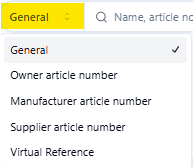
2. Toggle 'Exact match' to the right of the search bar
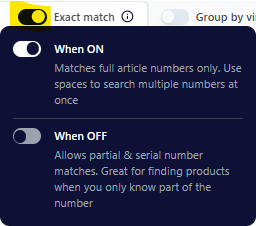
3. Copy & paste your array of article numbers into the search bar. All articles need to be separated by a space. If you copy a column of your article numbers from Excel or Google Sheets, a space will automatically be filled in between the articles. Press 'Add to selection' to select your articles.
